What is MCP (Model Context Protocol)?
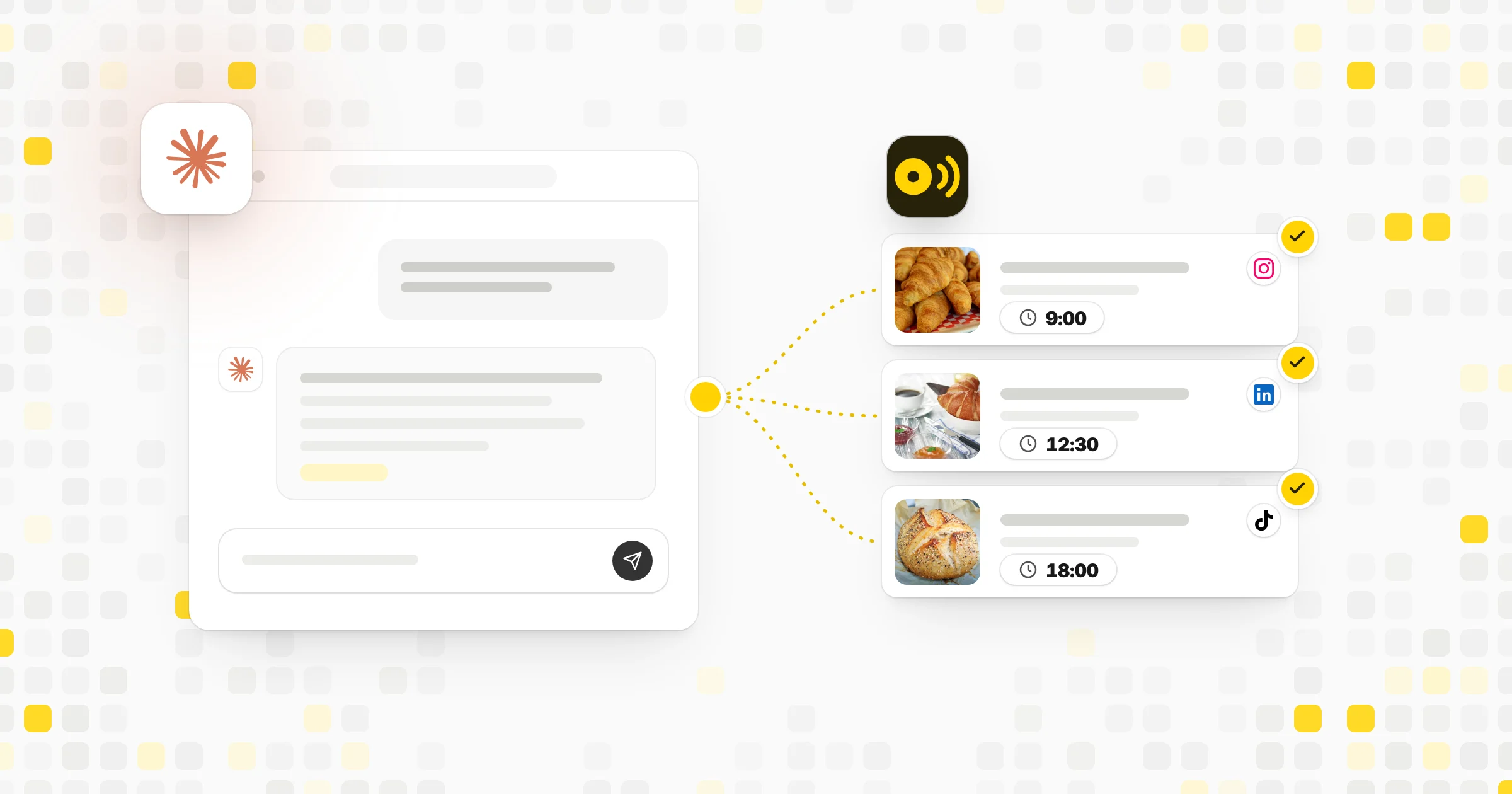
MCP is a shared set of rules for how an AI assistant talks to other software. Without it, every AI app needs custom code for every tool it wants to use. With MCP, a tool builds one MCP server, and any AI app that supports MCP can use it. People often compare it to a universal plug. Anthropic introduced it as an open standard, and many AI apps and tools now support it.
For you, this means an AI assistant can do more than chat. Once it is connected to the right MCP servers, it can read your calendar, look up data or save drafts in an app you use, all from a plain request.
How MCP works
There are two main sides:
- The MCP client: the AI app you talk to, such as a chat assistant or a coding tool.
- The MCP server: a small program that offers tools and data from another service, like a calendar, a database or a social media app.
The server tells the AI what it can do, for example "list scheduled posts" or "create a draft." When you ask the assistant for something, it picks the right tool, sends a request and uses the answer in its reply. You stay in control because the app usually asks before taking actions.
- 1You ask in plain words
"Save a draft post for Friday about our new menu."
- 2The assistant picks a tool
It reads the list of tools the MCP server offers.
- 3It sends the request
The MCP server passes it to the app, often through its API.
- 4You approve
The assistant shows what it will do before it acts.
- 5The app answers
The draft is saved and the assistant tells you it is done.
Why MCP matters for social media work
MCP lets you run social media tasks just by asking an AI assistant in plain words. With the right servers connected, you could ask it to:
- Draft a week of posts and save them as drafts in your scheduler.
- Pull last month's top posts and sum up what they share.
- Find open comments that still need a reply.
- Check your content calendar for gaps.
- Rewrite one post for each network's length limit.
The assistant does the clicking, and you review the results. Here is an example. A shop owner types: "Look at my scheduled posts for next week. If any day is empty, write a post about our spring sale and save it as a draft for that day." The assistant checks the calendar, finds two empty days and saves two drafts for the owner to approve.
How to connect an MCP server
- Check your AI app. Make sure it supports MCP. Many chat and coding assistants do.
- Find the server. Use the MCP server from the tool you want to connect, ideally its official one.
- Add it to your app. Most apps let you paste a link or sign in. Some ask for a key.
- Grant access. Approve only the permissions the task needs.
- Test with a safe request. Ask for something read-only first, like "list my drafts."
MCP vs API
An API is how software talks to a service, and it is usually written for developers. MCP sits on top of APIs and packages them in a form AI assistants understand. Many MCP servers call a service's API behind the scenes. If you code, you'd use the API directly. If you'd rather ask an assistant, MCP makes that possible.
| MCP | API | |
|---|---|---|
| Made for | AI assistants | Developers and their code |
| How you use it | Ask in plain words | Write code that sends requests |
| Needs coding to use | – | |
| Often calls an API behind the scenes | – | |
| Lists its tools so the AI can find them | – |
Staying safe and reading the tool list
Only connect MCP servers from sources you trust. Read what each one can access, and give it the smallest set of permissions that does the job. Keep keys and tokens private, and remove a connection when you stop using it. Review actions that publish, send or delete before you approve them, since an AI can misread a request.
It also helps to save AI work as drafts first. That way nothing goes live until a person has read it.
MCP shows up in a few kinds of apps. Chat assistants use it to reach your files, calendars and work tools. Coding tools use it to read databases, open tickets or check docs while they write code. Business apps offer MCP servers so their customers can work with them through an assistant of their choice.
If an app you use lists an MCP server, it usually has a short guide that shows the link to paste and what the server can do. Read that list of tools before you connect. It tells you exactly what the assistant will be able to see and change. If the list includes things like "delete" or "publish," decide whether you want the assistant to have those at all, or whether drafts are enough for your team.
Common mistakes
- Connecting servers from unknown sources because they promise extra features.
- Giving full access when read-only would do.
- Approving every action without reading it.
- Pasting keys into chats or shared documents.
Tools that help
 Capybaroar MCP serverOur toolConnect Claude, ChatGPT or Cursor to your Capybaroar account on any plan.Open
- Capybaroar APIOur toolBuild your own scripts and apps on top of Capybaroar.Open
 ClaudeAn AI assistant from Anthropic that can connect to MCP servers.Visit site
 ChatGPTAn AI assistant from OpenAI for writing and research.Visit site
 Compare tools8 Best Tools for Scheduling Social Media Posts with AI
Related terms
- APIAn API is a set of rules that lets one piece of software talk to another, such as an app asking a social network to publish a post.
- AI agentAn AI agent is software built on an AI model that can plan steps and use tools to finish a task for you, such as drafting and scheduling posts.
- Auto-postingAuto-posting is publishing social media content automatically at a set time or after a trigger, without someone pressing post by hand.
- Social media management toolA social media management tool is software that lets you plan, schedule, publish, reply to and measure posts across many social accounts from one place.
- AI-generated contentAI-generated content is text, images, audio or video made fully or partly by an AI model from a prompt or other input.